Edit any clip
like a pro.
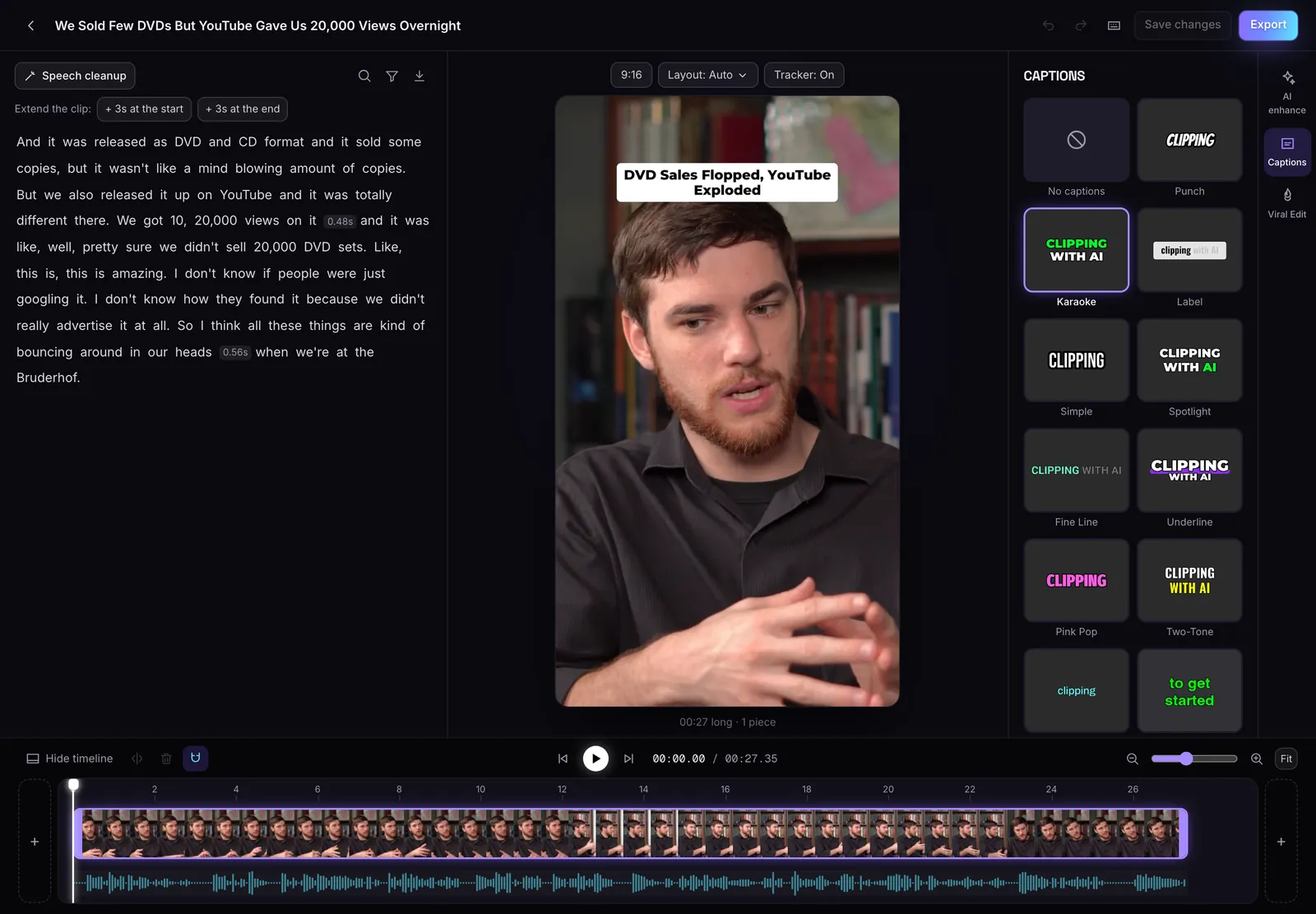
Every clip MasterClip makes opens in an editor built around its transcript. Delete a word and the video for it is cut. Clear the pauses and filler words in one press. Trim, split, and switch captions and framing, without a timeline full of tracks.
Pauses, filler words and bad takes, gone in one press
The editor finds every pause, every "um" and "uh", and the lines someone started over. Tick what goes and press Remove all. Undo puts it back. The first bad-take scan on a clip is free; after that each costs 1 credit.
Try it free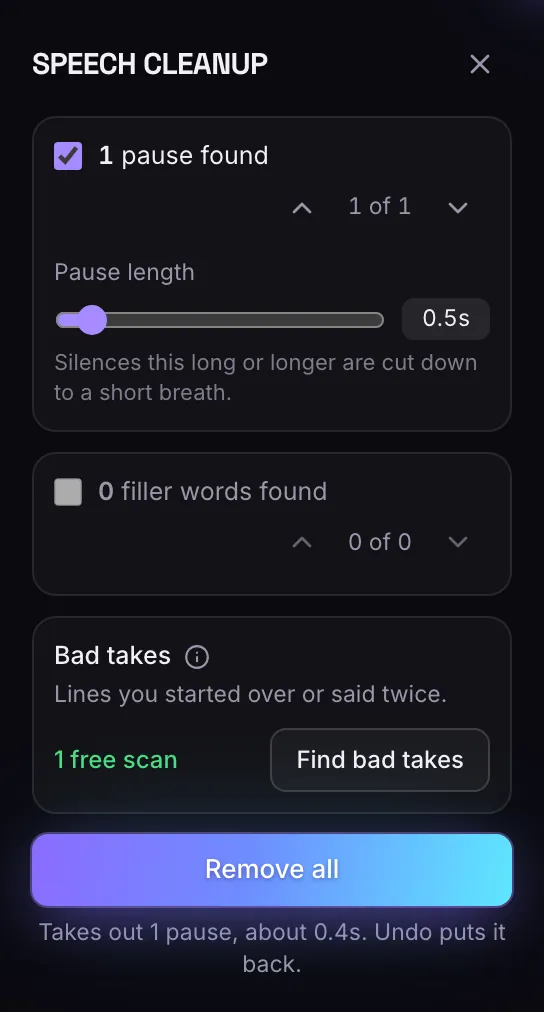
Read the clip, delete what you don't want
Delete words in the transcript and the video for them is cut. Drag either end of the clip, add 3 seconds at the start or end, or split at the playhead.
- Pauses1
- Filler words2
- Bad takes1
Trim and split
Drag either end, add 3 seconds, or split at the playhead and delete a piece.
Edit by text
Delete words in the transcript and the video for them is cut.
Speech cleanup
Finds pauses, filler words and bad takes. Remove them all in one press.
Live captions
13 styles. Pick one and the video shows it right away.
Edit by text
Delete words in the transcript and the video for them is cut.
Speech cleanup
Finds pauses, filler words and bad takes. Remove them all in one press.
Trim and split
Drag either end, add 3 seconds, or split at the playhead and delete a piece.
Free to save
The editor is on every plan, and saving costs no credits.
Everything in one place
Captions, framing and layout sit beside the clip, and the preview shows changes right away. Undo and redo cover every cut and choice. The editor saves clips up to 3 minutes long.
Questions
Does saving an edit cost credits?
No. Saving in the editor is free on every plan.
What does speech cleanup remove?
Pauses, filler words and bad takes. The first bad-take scan on a clip is free; each one after that costs 1 credit.
Can I undo a change?
Yes. Undo and redo cover cuts and every choice you make in the editor.
Is MasterClip free?
Yes. The Free plan gives you 30 minutes of video a month with no card. Free clips carry a small watermark and are deleted after 3 days, so download the ones you want. Paid plans start at $7 a month.
More of what it does
Clips shown were made by MasterClip from Anabaptist Perspectives Ep. 159 (CC BY 3.0) and Mike Herrera Podcast #361 (CC BY). The brand and its logo are made up for the example.
Clip it
like a master
30 free minutes a month. No card needed.