Animated captions,
added automatically.
Plenty of people scroll with the sound off. MasterClip transcribes every clip and adds word-by-word captions in the style you pick, burned into the video so they show on TikTok, Instagram Reels, YouTube Shorts and anywhere else you post.
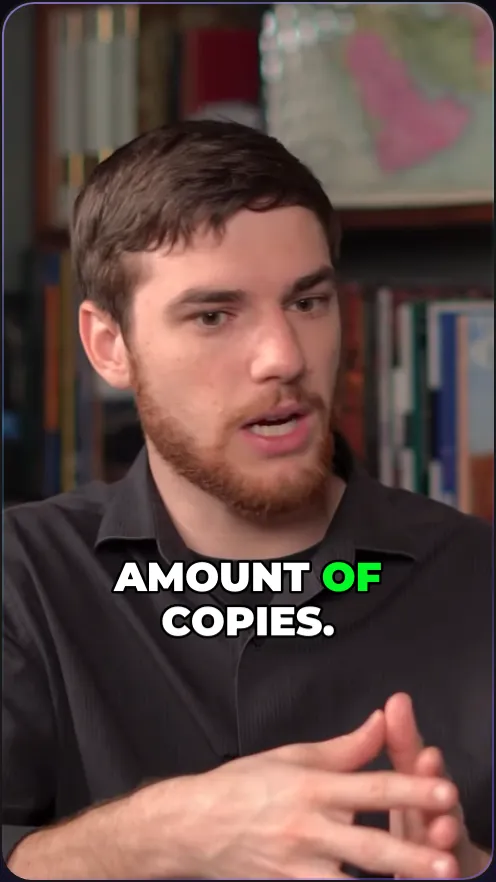
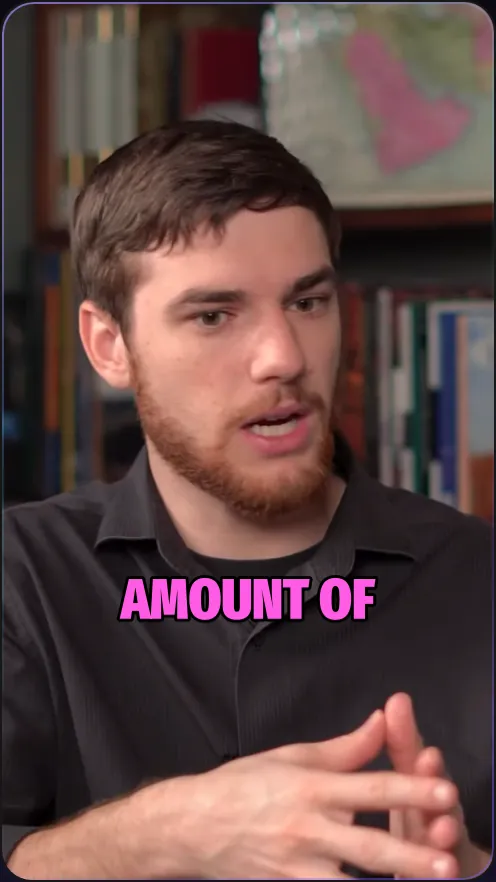
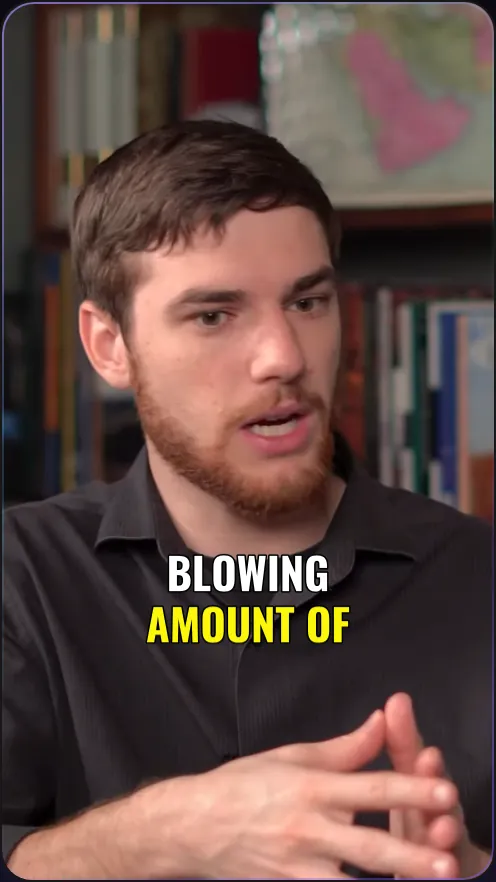
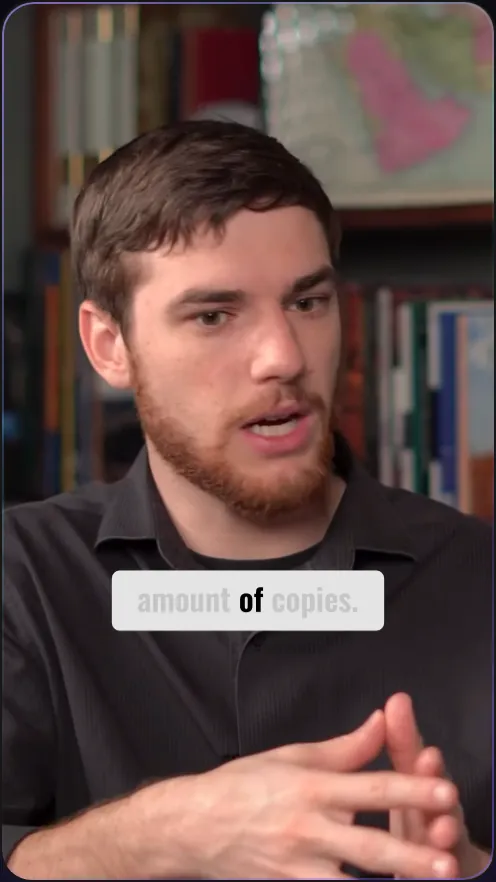
Pick a style before you start
Karaoke lights each word as it is said. Punch, Spotlight and Two-Tone hit hard. Fine Line, Lowercase and Simple stay quiet. Put them at the top, middle or bottom of the frame.
Try it free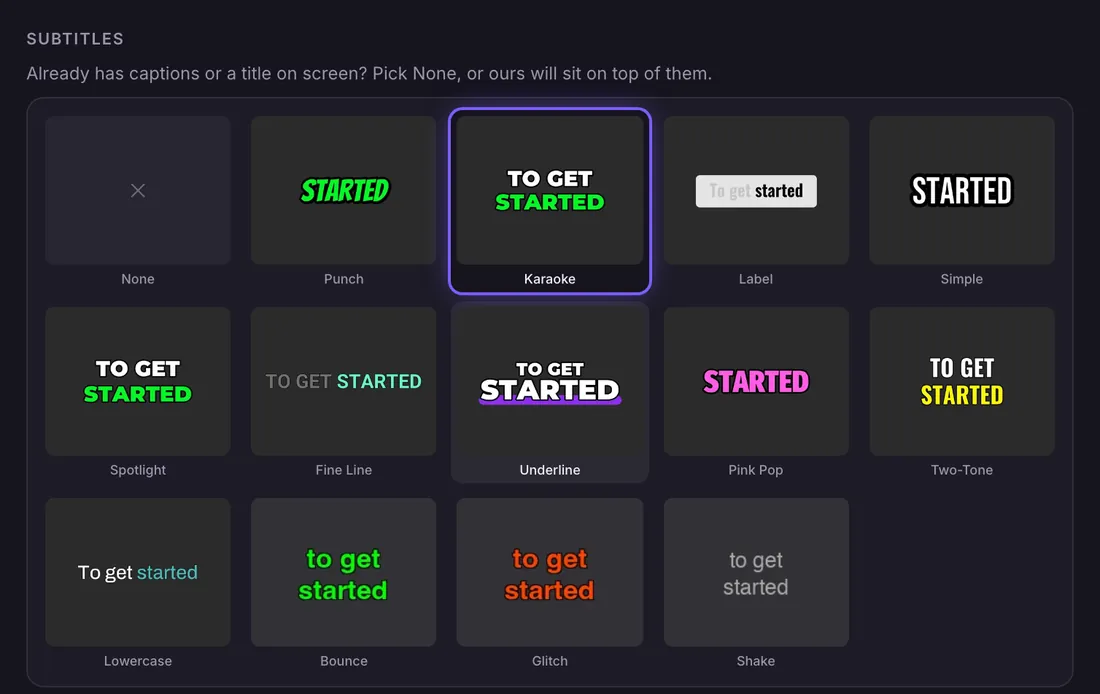
Switch styles in the editor and see it at once
The editor draws the captions live over the clip, so a new style shows the moment you pick it. Saving costs no credits. Download the captions as an SRT file if you need them separately.
Try it free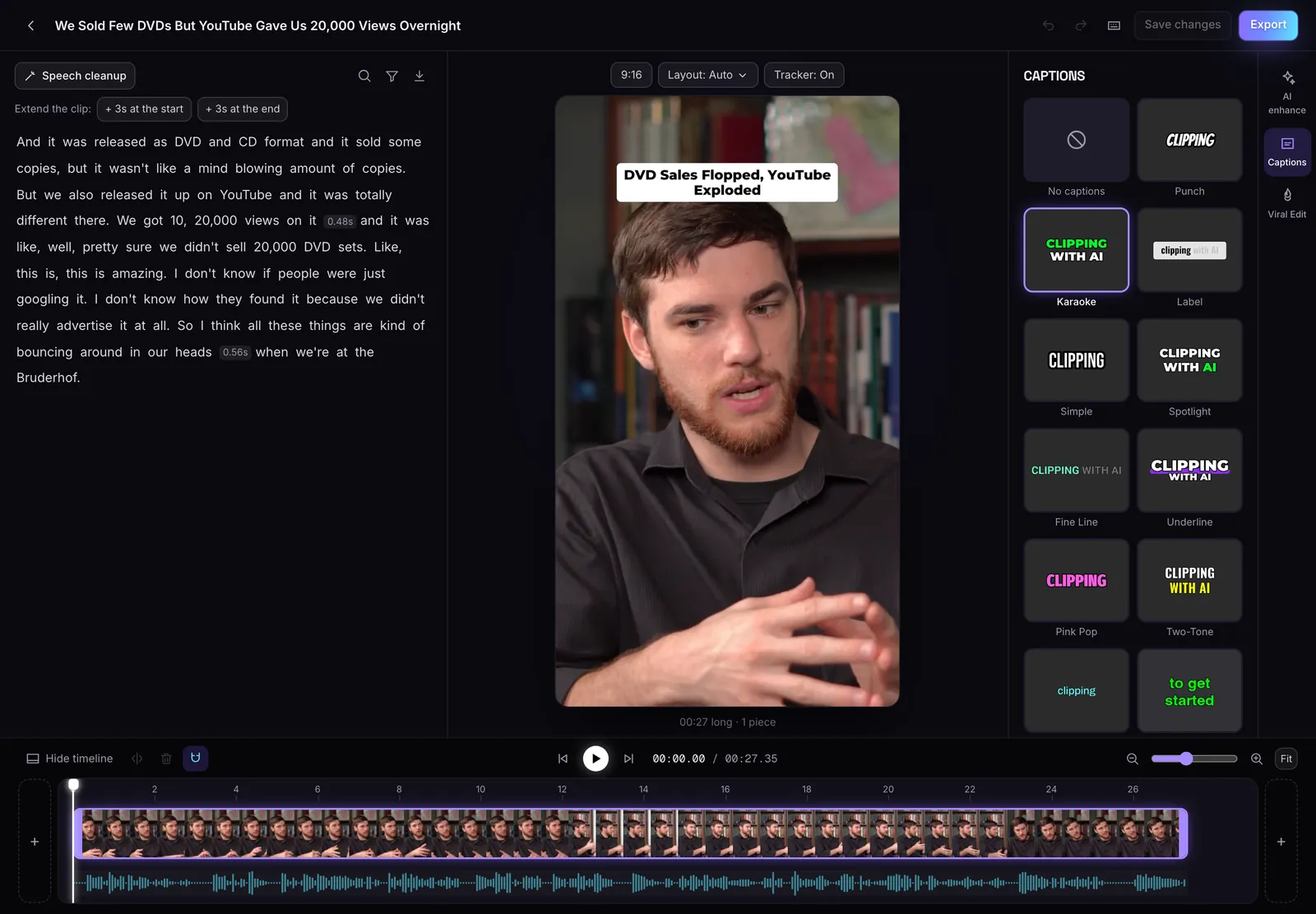
A hook on top of the first seconds
Auto headline puts a short hook at the top of each clip for its first 5 seconds, so the first frame tells people why to keep watching.
Try it free13 styles
From plain and clean to bold styles that light up each word as it is spoken.
Word by word
Captions follow the speech one word at a time, timed to the audio.
Top, middle or bottom
Put the captions where they do not cover faces or on-screen text.
Burned in
Part of the MP4, so they look the same on every app.
Captions that are part of the video
Captions are burned into the MP4, so they look the same on every app and never depend on a platform's own caption setting.
Pick None if your video already has captions on screen, so the two sets do not stack.
Questions
Can I add captions to a whole video without clipping it?
Yes. Choose Don't clip and MasterClip keeps your whole video, or the part you pick, as one clip with captions, up to 10 minutes.
Can I download the captions as a file?
Yes. The editor downloads a clip's captions as an SRT file.
Where can the captions go?
Top, middle or bottom of the frame. Bottom is the default.
What languages does it support?
English only for now.
Is MasterClip free?
Yes. The Free plan gives you 30 minutes of video a month with no card. Free clips carry a small watermark and are deleted after 3 days, so download the ones you want. Paid plans start at $7 a month.
More of what it does
Clips shown were made by MasterClip from Anabaptist Perspectives Ep. 159 (CC BY 3.0) and Mike Herrera Podcast #361 (CC BY). The brand and its logo are made up for the example.
Clip it
like a master
30 free minutes a month. No card needed.