Find the best moments.
Get them as clips.
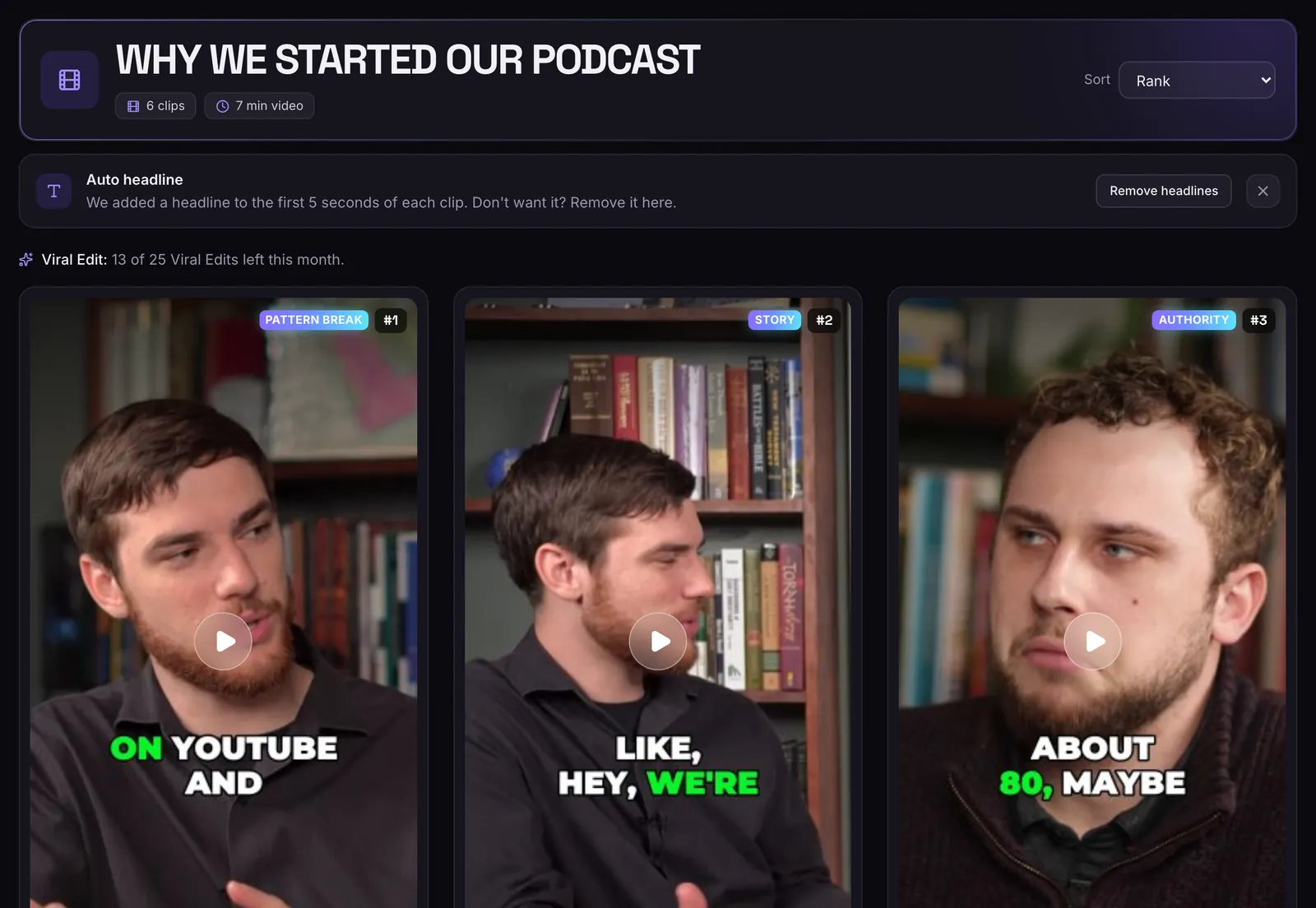
MasterClip watches your long video, picks the moments worth posting and turns each one into a short clip with captions and a hook headline. Paste a link or upload a file and get clips back, no editing timeline needed.
How it works
- 1
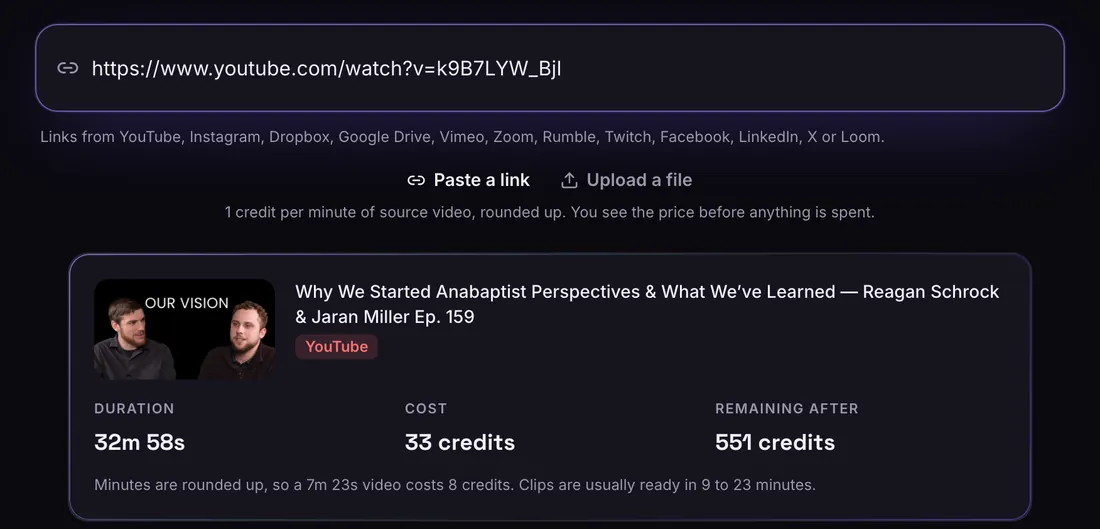
Paste a link or upload
A link from any of 12 sites, or a file. You see the length and the price before anything is spent.
- 2
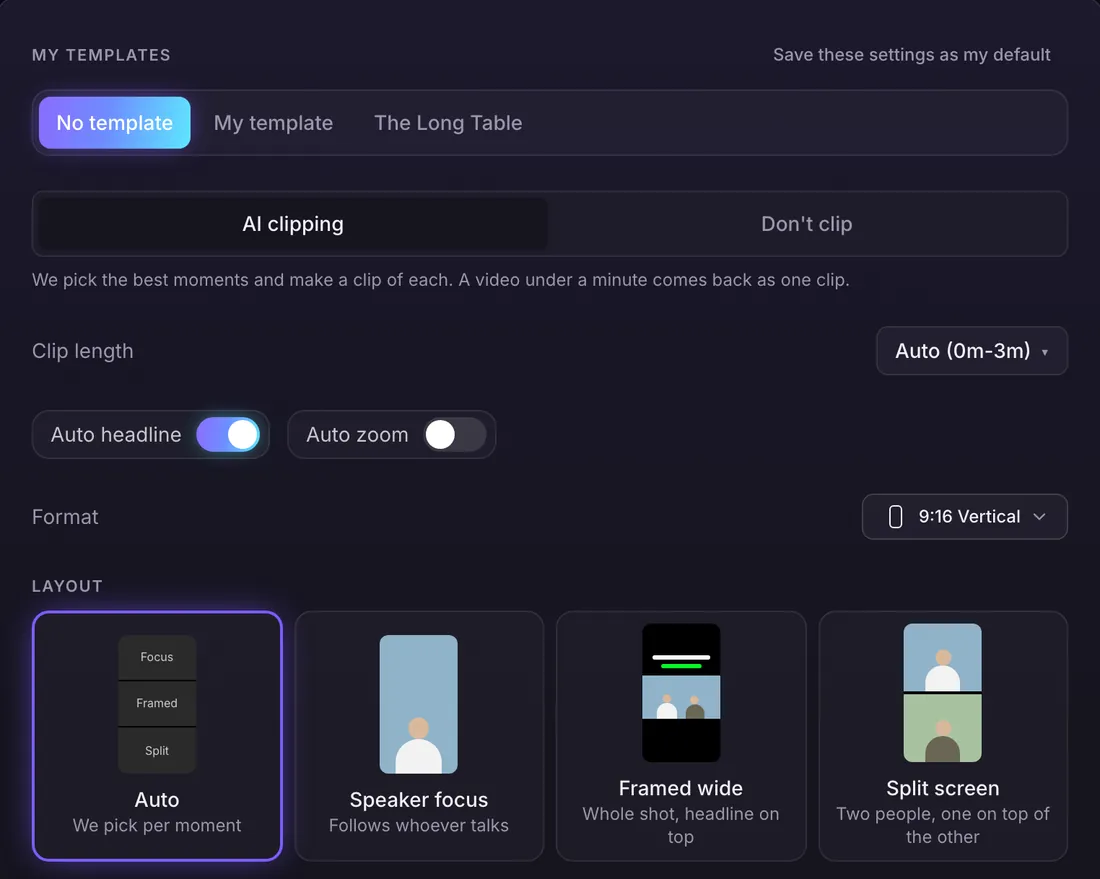
Choose how it looks
Clip length, shape, layout, captions and Auto headline. Or pick a brand template and it fills everything in.
- 3
Get ranked clips
Every clip comes back with captions, a title, a hook label and a score out of 100. Download, edit or Viral Edit it.
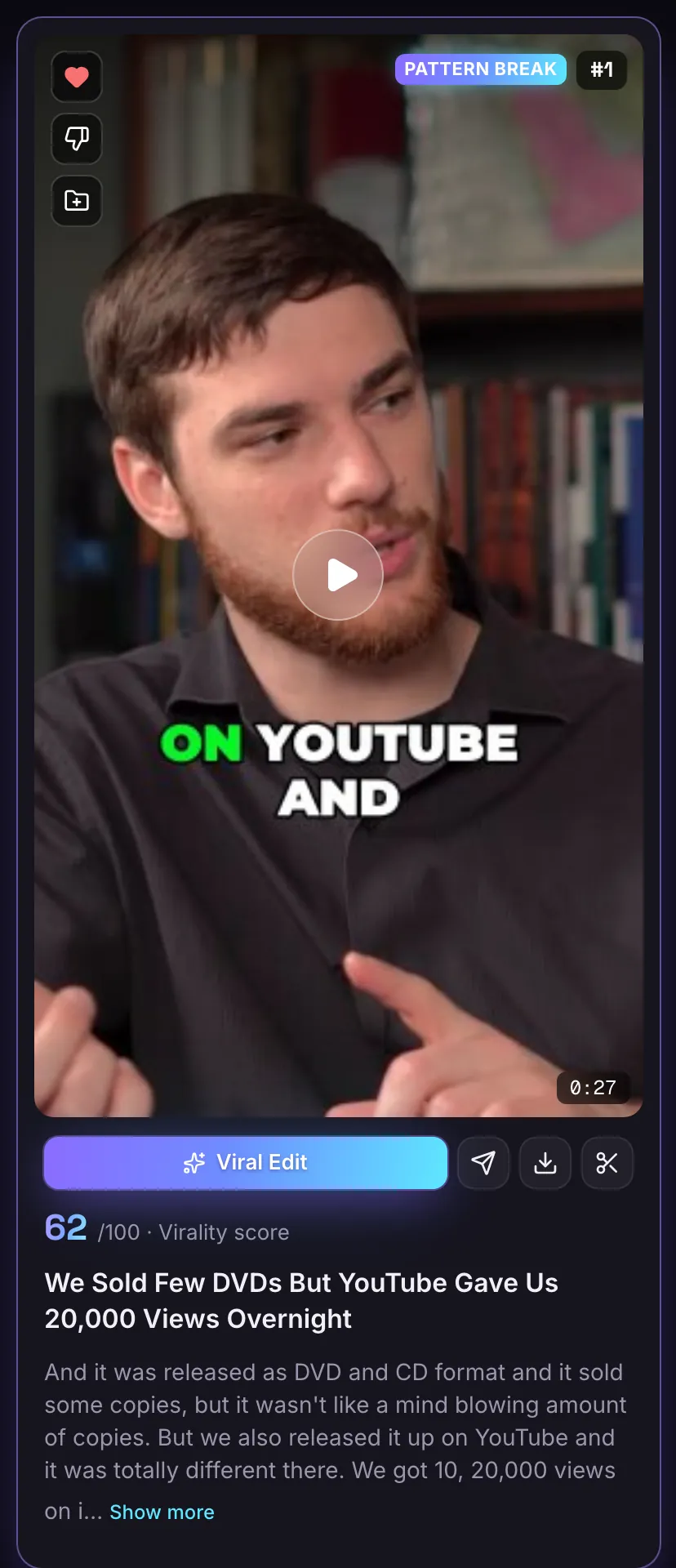
Every clip scored, titled and labelled
The AI looks for a strong opening, a clear payoff, a moment that makes sense on its own, and emotion or surprise. Each clip gets a score out of 100, a title and a hook label such as Story or Pattern break, best first.
Try it freeCaptions and a headline, already on
Clips come back with word-by-word captions in the style you picked (13 to choose from) and a hook headline for the first 5 seconds. These three came out of MasterClip exactly like this.
Try it freePick the length, shape and layout
Leave clip length on Auto for clips up to 3 minutes, or tick the lengths you want. Choose vertical 9:16, square 1:1, portrait 4:5, wide 16:9, and a layout that follows the speaker, splits the screen or frames the whole shot.
Try it freePicks the moments
A strong opening, a clear payoff, a clip that makes sense on its own, and emotion or surprise.
Scores every clip
A score out of 100, a title and a hook label, so you can post the strongest first.
Frames the speaker
Vertical, square and portrait clips follow whoever is talking, so no one is cut out of the shot.
Captions included
Word-by-word captions in one of 13 styles, burned into the MP4.
How the AI picks your clips
MasterClip transcribes the whole video, then reads it the way an editor would. It looks for moments that open with a hook, land a point and still make sense when someone sees only that part.
Treat the score as a guide and watch a clip before you post it. Use the time range to clip only part of a video and pay for that part only.
Built for videos where people talk
Podcasts, interviews, talks, panels, Q&As and street interviews all work well. The more people say, the more moments the AI has to choose from.
Questions
Is MasterClip free?
Yes. The Free plan gives you 30 minutes of video a month with no card. Free clips carry a small watermark and are deleted after 3 days, so download the ones you want. Paid plans start at $7 a month.
Where can my video come from?
A link from YouTube, Instagram, Dropbox, Google Drive, Vimeo, Zoom, Rumble, Twitch, Facebook, LinkedIn, X or Loom, or a file from your computer (.mp4, .mov, .webm, .mkv, up to 5 GB).
How long can my video be?
Up to 60 minutes a video. For a video up to 3 hours long, pick the 60 minutes you want with the time range.
How long does it take?
An uploaded 10 minute video is usually ready in 2 to 10 minutes, and a 60 minute video in 15 to 35 minutes. A link takes a little longer because the video is fetched first.
What languages does it support?
English only for now.
More of what it does
Clips shown were made by MasterClip from Anabaptist Perspectives Ep. 159 (CC BY 3.0) and Mike Herrera Podcast #361 (CC BY). The brand and its logo are made up for the example.
Clip it
like a master
30 free minutes a month. No card needed.