Keep your best clips
in one place.
A few long videos turn into a lot of clips. Tap the heart on the ones you like and they land in Favorites. Make your own collections, such as "Post this week" or "Guest stories", and file clips from any video into them.

Heart it, or add it to a collection
Over every clip sit a heart for Favorites, a thumbs-down, and Add to collection. Tick as many collections as you like, or make a new one right there.
Try it free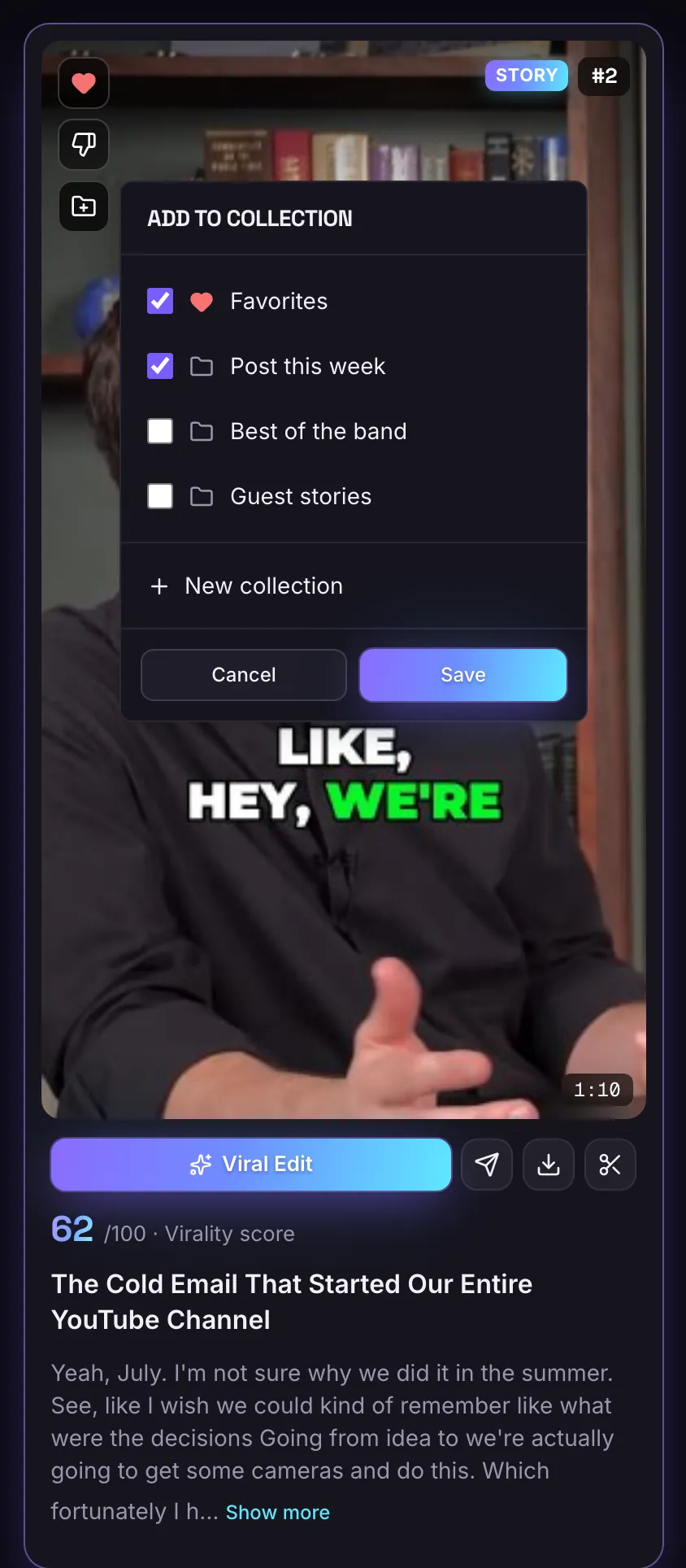
Favorites first, then your own
Each collection shows how many clips it holds. Rename or delete it from its menu. Deleting a collection never deletes the clips: they stay in their videos.
Try it free
Favorites
Tap the heart on a clip and it shows up in Favorites.
Your own collections
Make, rename and delete collections, and add clips from any video.
One clip, many places
A clip can sit in several collections at once.
Nothing gets lost
Delete a collection and its clips stay in their videos.
Plan your posts from one list
Each collection shows its clips together, from every video they came from. Use one for the clips you will post this week, one per guest, or one per client.
On the Free plan clips are deleted 3 days after the video was submitted, collections included, so download the ones you want to keep. Paid plans keep them.
Questions
Do collections cost extra?
No. Favorites and collections are on every plan.
What happens to clips when I delete a collection?
They stay in their videos. Only the collection goes.
Can one clip be in more than one collection?
Yes. Add it to as many as you like.
Is MasterClip free?
Yes. The Free plan gives you 30 minutes of video a month with no card. Free clips carry a small watermark and are deleted after 3 days, so download the ones you want. Paid plans start at $7 a month.
More of what it does
Clips shown were made by MasterClip from Anabaptist Perspectives Ep. 159 (CC BY 3.0) and Mike Herrera Podcast #361 (CC BY). The brand and its logo are made up for the example.
Clip it
like a master
30 free minutes a month. No card needed.